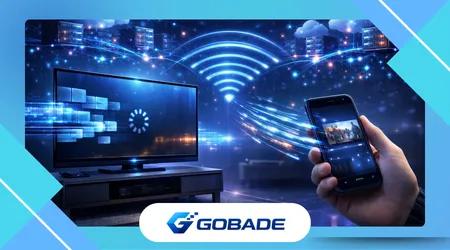
Streaming app performance differences become obvious when users switch between a smartphone and a Smart TV. The same movie may start instantly on mobile yet buffer, lag, or load slower on television devices.
This difference does not happen randomly or because one device is inherently better. It results from architectural distinctions in hardware power, operating systems, memory allocation, and network behavior across platforms.
Mobile ecosystems evolved with performance optimization as a central design principle. Smart TV environments, however, prioritize visual output, media decoding, and long-form playback rather than rapid application responsiveness.
Streaming platforms therefore build multiple versions of their applications. Engineers adapt interface logic, caching mechanisms, and decoding strategies depending on whether the application runs on a handheld device or a television.
These technical choices influence loading times, playback stability, and user navigation speed. They also determine how buffering occurs, how quickly recommendations appear, and how responsive menus feel while browsing large libraries.
Understanding these differences helps viewers troubleshoot performance issues more effectively. It also reveals how streaming platforms design experiences differently across screens to balance hardware limitations and user expectations.
Hardware Architecture and Processing Power
Smartphones typically contain processors designed for high multitasking efficiency. Mobile chipsets integrate CPU, GPU, and AI accelerators optimized for rapid interface rendering and quick app switching.
Smart TVs rely on more specialized processors designed primarily for video decoding and image processing. These chips prioritize consistent playback rather than fast application loading or complex interface transitions.
Mobile processors evolve annually with major performance jumps. Television chipsets often remain unchanged across several years, which means some TVs run streaming apps on comparatively outdated processing architectures.
Memory availability also influences responsiveness during streaming sessions. Smartphones frequently include between six and twelve gigabytes of RAM, enabling multiple background processes without slowing application interaction.
Many Smart TVs operate with far less available system memory. Limited RAM forces the system to aggressively close background tasks and reload resources whenever users navigate between menus or applications.
Graphics pipelines also differ significantly between the two device categories. Smartphones rely on high-performance GPUs optimized for animations, while televisions use simpler rendering pipelines focused on stable video playback.
Thermal management contributes to performance consistency across platforms. Smartphones regulate temperature through dynamic clock scaling, while televisions prioritize silent cooling systems that limit sustained processing spikes.
Operating conditions also affect processor utilization during streaming sessions. A phone actively manages power consumption, while televisions remain connected to continuous electricity without aggressive power optimization routines.
These architectural differences explain why the same streaming interface feels faster on phones. Hardware design decisions shape how applications allocate resources during navigation, buffering, and playback operations.
++How Closed Captions and Subtitles Change the Streaming Experience
Operating Systems and Software Optimization
Operating systems play a decisive role in how efficiently streaming apps perform across devices. Mobile environments such as Android and iOS receive frequent optimization updates that improve application execution speed.
Smart TV operating systems evolve more slowly because manufacturers must maintain compatibility across many hardware models. This fragmentation creates inconsistent performance between television brands even when running the same streaming service.
Application developers therefore build separate software frameworks for each platform. According to the Android Developers documentation, mobile apps rely heavily on hardware acceleration and adaptive resource management.
Television interfaces prioritize large navigation elements designed for remote controls rather than touch input. These interface adaptations require additional processing layers that can introduce latency during menu transitions.
App update frequency also influences overall responsiveness across devices. Smartphones automatically receive updates through centralized app stores, while many Smart TVs depend on slower firmware update cycles.
Streaming services must also support numerous TV operating systems simultaneously. Platforms such as Tizen, WebOS, Android TV, and Roku OS all require distinct optimization strategies to maintain acceptable performance levels.
Video decoding libraries further complicate development across devices. Mobile platforms standardize many decoding frameworks, whereas television manufacturers often implement proprietary media processing pipelines.
These differences increase development complexity for streaming companies. Engineers must maintain multiple codebases to ensure playback stability across both mobile and television environments.
As a result, mobile streaming applications typically receive performance improvements sooner. Television versions may lag behind because they must pass manufacturer certification before widespread distribution.
++Why Live Streaming Feels More Prone to Delays Than On-Demand Content
Network Behavior and Bandwidth Management

Internet connectivity affects streaming stability differently on phones and televisions. Mobile devices frequently connect through optimized Wi-Fi drivers designed for fluctuating network conditions.
Smart TVs often contain simpler network chipsets optimized for stable connections rather than dynamic adaptation. This design choice can result in slower reconnection times when network conditions suddenly change.
Adaptive bitrate streaming plays a central role in maintaining video quality across devices. Streaming services automatically adjust resolution depending on available bandwidth and device capabilities.
Content delivery networks also influence how quickly streams begin. Organizations such as Akamai Technologies distribute media files globally to reduce latency between viewers and streaming servers.
Televisions often request larger video segments compared to smartphones. Larger data chunks improve long-form playback stability but may delay initial buffering when bandwidth fluctuates.
Mobile streaming clients frequently use smaller segments for faster playback startup. This strategy allows users to begin watching almost instantly even before the full connection quality becomes stable.
Home network conditions further influence streaming performance on televisions. Many Smart TVs operate farther from routers than smartphones, which reduces signal strength and increases buffering probability.
Network interference from walls, appliances, or neighboring Wi-Fi signals compounds these issues. Phones compensate with advanced signal management features that many televisions lack.
These networking distinctions significantly impact perceived performance differences. Identical internet connections may deliver smoother playback on mobile simply because the device handles unstable conditions more intelligently.
User Interface Design and Interaction Models
Interface design dramatically influences how streaming applications feel across devices. Mobile interfaces prioritize rapid gestures, fluid animations, and immediate visual feedback during navigation.
Television interfaces rely on directional remote controls rather than touchscreens. This constraint forces developers to design larger menus and slower transitions to ensure comfortable navigation from a distance.
Interaction speed therefore differs even when both devices process commands correctly. Smartphone users can swipe quickly across lists, while television interfaces require step-by-step directional navigation.
Rendering complexity also influences performance during browsing sessions. Mobile GPUs handle animation-heavy interfaces efficiently, while Smart TVs often simplify transitions to maintain stability.
Streaming companies design television interfaces to reduce processing load during playback. Recommendation rows update less frequently to avoid interfering with ongoing video decoding operations.
Below is a simplified comparison of typical platform characteristics affecting streaming performance.
| Feature | Smartphones | Smart TVs |
|---|---|---|
| Processor upgrade cycle | Annual improvements | Multi-year hardware cycles |
| RAM availability | Typically 6–12 GB | Often 1–3 GB |
| Interface input | Touch gestures | Remote control navigation |
| Update frequency | Frequent app updates | Slower firmware updates |
| GPU optimization | High animation capability | Focused on video decoding |
Interface design therefore directly affects responsiveness. Even when both devices deliver identical video quality, navigation speed and interaction smoothness can vary significantly.
Developers balance usability and hardware limitations carefully. Television interfaces prioritize readability and stability rather than the instantaneous responsiveness users expect from smartphones.
Video Decoding, Resolution, and Display Processing
Streaming video involves complex decoding pipelines that vary across devices. Smartphones integrate specialized hardware decoders capable of processing multiple formats efficiently.
Smart TVs also include hardware decoders but prioritize high-resolution playback. Many televisions process 4K, HDR, and Dolby Vision streams that require substantial decoding resources.
Higher resolution content increases processing load during playback sessions. Televisions must upscale, color-correct, and optimize images for large displays while maintaining consistent frame rates.
Mobile devices often stream lower resolutions to preserve bandwidth and battery life. These lighter decoding workloads allow the application interface to remain more responsive during playback.
Display technology also influences perceived streaming performance. Television panels frequently apply additional processing such as motion smoothing and HDR tone mapping.
According to research published through the IEEE, real-time video decoding efficiency depends heavily on hardware acceleration and memory bandwidth.
Smartphones dedicate substantial silicon area to multimedia acceleration. Many televisions allocate fewer resources to application performance because their primary function focuses on continuous video output.
These engineering priorities explain why identical streaming apps behave differently across platforms. Device architecture determines how resources divide between playback stability and interface responsiveness.
App Development Strategies for Cross-Platform Streaming
Streaming companies must design software capable of operating across dozens of device categories. Each platform introduces unique constraints that influence application architecture and optimization strategies.
Mobile environments allow faster innovation cycles. Developers can test new streaming features quickly because smartphone operating systems update frequently and maintain consistent hardware standards.
Television ecosystems remain highly fragmented across manufacturers. Streaming companies must adapt their applications to numerous operating systems, screen resolutions, and hardware configurations.
Quality assurance processes therefore differ significantly between platforms. Television apps often require extensive testing across many models before release to prevent playback instability.
Caching strategies also vary depending on device capabilities. Mobile apps aggressively cache thumbnails and metadata locally, while television apps often rely more heavily on remote data requests.
Adaptive streaming algorithms further diversify performance across platforms. Smartphones frequently adjust resolution dynamically, while televisions aim to maintain the highest stable quality possible.
Cross-platform development frameworks help unify codebases across devices. However, specialized optimizations remain necessary to accommodate hardware differences and interaction models.
Streaming companies continually refine these strategies as new hardware generations appear. Performance differences between televisions and mobile devices gradually shrink as processing capabilities improve.
Despite these improvements, architectural distinctions will likely persist. Televisions and smartphones serve different roles within the streaming ecosystem, which shapes how their applications perform.
++How Free Streaming Platforms Make Money Without Subscription
Conclusion
Streaming performance differences between Smart TVs and mobile devices stem from fundamental design priorities. Each platform optimizes hardware and software around different viewing contexts and technical constraints.
Smartphones prioritize responsiveness, multitasking, and rapid application interaction. Televisions instead focus on delivering stable, high-quality video for extended viewing sessions on large screens.
Processor architecture plays a central role in these differences. Mobile chipsets evolve rapidly, while television hardware often remains unchanged for several product generations.
Operating system ecosystems also influence performance outcomes. Mobile platforms receive faster updates and more consistent optimization compared with fragmented Smart TV environments.
Network behavior further contributes to playback stability variations. Smartphones adapt more effectively to changing signal conditions, while televisions often rely on steadier connections.
Interface design reinforces these distinctions between devices. Touch-based navigation encourages fluid interactions on phones, whereas remote-based control requires slower and more deliberate menu systems.
Video decoding priorities also shape application behavior. Televisions dedicate resources to high-resolution playback, while smartphones balance efficiency with responsiveness.
Streaming companies therefore design multiple optimized versions of their applications. Each version reflects the hardware capabilities and user interaction patterns associated with its platform.
Understanding these technical distinctions helps users interpret performance differences more accurately. What appears to be an app issue often results from deeper architectural characteristics of the device.
As hardware continues evolving across both categories, performance gaps will gradually narrow. However, the unique roles of televisions and smartphones ensure that streaming experiences will never be identical.
FAQ
1. Why does a streaming app load faster on a phone than on a Smart TV?
Mobile devices typically use newer processors, more RAM, and optimized operating systems, which allow streaming apps to launch and navigate faster than many television platforms.
2. Do Smart TVs have weaker processors than smartphones?
In many cases yes, because television processors prioritize video decoding stability rather than the multitasking performance required for complex application interfaces.
3. Does internet speed affect TVs and phones differently?
Yes, because mobile devices often use advanced Wi-Fi drivers and adaptive networking strategies that handle unstable connections more efficiently than many Smart TVs.
4. Why do menus sometimes feel slower on streaming apps for TVs?
Television interfaces rely on remote control navigation, which introduces additional interaction steps and processing layers compared with touchscreen gestures on smartphones.
5. Do streaming companies create different apps for TVs and phones?
Yes, developers build separate versions optimized for each platform because hardware capabilities, input methods, and operating systems vary significantly.
6. Does 4K streaming affect Smart TV performance?
High-resolution video requires greater decoding resources, which can reduce the responsiveness of other interface components while playback remains active.
7. Why do Smart TV apps update less frequently?
Television apps often require certification and compatibility testing across multiple hardware models before updates become available to users.
8. Will streaming performance differences disappear in the future?
Advances in hardware and software will reduce many disparities, but the distinct design goals of televisions and smartphones will continue shaping how streaming apps perform.