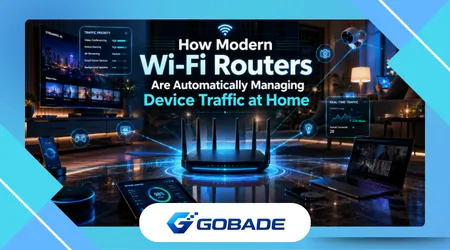
Smart WiFi traffic management has quietly become one of the most important features inside modern homes, largely because most people no longer realize how many devices are competing for bandwidth at the same time. A single evening can involve a 4K television streaming video, two phones syncing photos to the cloud, a smart speaker pulling updates, a laptop joining a video meeting, and a gaming console downloading a large patch in the background.
The frustrating part is that internet speed alone rarely explains why things suddenly feel unstable. Many households upgrade their internet plans expecting everything to improve instantly, only to discover that buffering, delayed video calls, and random slowdowns continue appearing at the worst possible moments. The issue often has less to do with raw speed and more to do with how traffic gets prioritized inside the home network.
That shift changed router design dramatically over the past few years. Routers used to behave more like passive traffic pipes, pushing data around with minimal intelligence. Current systems behave more like automated traffic coordinators. They monitor activity patterns, identify congestion, prioritize latency-sensitive tasks, and sometimes make decisions users never even notice unless something goes wrong.
The strange irony is that the better these systems work, the less visible they become. People only notice their router when the network feels broken. Few realize modern routers are constantly deciding which devices should wait, which applications deserve immediate delivery, and which background processes can be slowed down without anyone noticing.
The Hidden Network Chaos Most Homes Create Every Evening
A common pattern appears in many households around dinner time. Streaming services start running simultaneously. Phones reconnect after people arrive home. Smart TVs wake up. Cameras upload recordings. Cloud backups begin quietly in the background. Meanwhile, someone opens a video meeting upstairs while another person starts downloading a large game update.
On paper, a 500 Mbps internet connection should handle this comfortably. In practice, the experience can still collapse under surprisingly ordinary conditions.
One reason is that bandwidth saturation is rarely evenly distributed. Certain devices behave aggressively when given unrestricted access. Some smart TVs preload content far ahead of playback. Gaming consoles often consume large chunks of bandwidth during updates without warning. Cloud storage apps are notorious for quietly monopolizing upload capacity, which users notice immediately during video calls because upload congestion affects responsiveness faster than download congestion.
Many people chase the wrong solution repeatedly. They reboot routers, change providers, or buy expensive mesh systems without realizing a single device may be overwhelming upstream traffic every evening.
This is exactly where automated traffic management became necessary rather than optional.
Modern routers increasingly analyze packet behavior in real time. Instead of treating every request equally, they classify activities based on urgency and sensitivity. Streaming video can tolerate tiny delays because buffering exists. Video calls cannot. Online gaming reacts poorly to latency spikes even when bandwidth usage remains relatively low. Security cameras sometimes receive lower priority because delayed uploads matter less than active communication tasks.
The network is no longer simply moving data. It is making judgment calls constantly.
Oddly enough, many users first notice this intelligence after replacing an older router. They describe the new network as “smoother” rather than dramatically faster. That distinction matters. Smoothness is often the product of better traffic handling rather than higher internet speed.
Why Faster Internet Alone Stops Solving the Problem
Internet providers market speed aggressively because it is easy to measure and easy to advertise. Home networking problems are rarely that simple anymore.
A household with poor traffic distribution can still feel unstable on high-speed fiber. Meanwhile, a smaller household using intelligent prioritization may experience fewer interruptions on a slower connection.
One overlooked issue involves upload traffic. Most people focus exclusively on download speeds because streaming and browsing depend heavily on them. But modern homes constantly upload data now. Phones sync media automatically. Smart cameras transmit footage. Work applications back up files silently. Cloud-connected appliances generate telemetry continuously.
Once upload congestion begins, interactive applications suffer immediately.
This explains why somebody can watch Netflix without interruption while another person complains that Zoom audio keeps cutting out. Streaming platforms buffer ahead. Real-time communication tools cannot predict future traffic conditions as effectively.
Quality of Service systems, often shortened to QoS, were designed to address this imbalance. Earlier implementations required manual configuration and were often frustrating to manage. Users had to assign priorities device by device, which became unrealistic as homes filled with dozens of connected products.
Current systems are far more adaptive.
Many newer routers automatically identify traffic categories using behavior analysis rather than relying entirely on fixed user rules. Some even detect conferencing apps dynamically and temporarily prioritize them during active sessions.
The practical benefit becomes obvious during mixed-use scenarios. Someone gaming online while another person uploads large work files no longer guarantees network instability if the router can intelligently allocate resources in real time.
Still, marketing often exaggerates what these systems can achieve.
Traffic management improves fairness and responsiveness. It does not magically create bandwidth that does not exist. A severely overloaded connection will still struggle regardless of optimization quality. That distinction gets lost in many advertisements promising “lag-free everything.”
The Router Features That Actually Matter in Daily Use
Some router features sound impressive in product pages but barely affect real-world usability. Others quietly make a huge difference over time.
Automatic device prioritization has become genuinely valuable, especially in households where users do not want to micromanage settings constantly. Systems from companies like ASUS, TP-Link, and eero increasingly focus on behavioral automation instead of forcing manual network engineering onto ordinary users.
That said, implementation quality varies considerably.
Some routers advertise intelligent optimization but simply apply broad categories poorly. Others react too aggressively, causing strange inconsistencies where one device suddenly slows down unpredictably. Certain budget routers also struggle when too many simultaneous devices connect, even if bandwidth usage remains moderate.
A surprisingly practical feature is historical device monitoring. Experienced users often discover problematic devices only after reviewing network activity logs. One aging tablet, for example, may repeatedly reconnect every few seconds and quietly destabilize portions of the wireless environment without obvious symptoms.
Guest network isolation has also become more useful than many people initially expected. It is no longer just about visitors using Wi-Fi temporarily. Smart home devices often receive fewer software updates and weaker security maintenance than phones or laptops. Separating them from primary devices reduces risk exposure significantly.
The Federal Trade Commission’s guide to securing a home Wi-Fi network is useful for readers who want practical steps on WPA3 or WPA2 encryption, router passwords, and safer network setup: https://consumer.ftc.gov/articles/how-secure-your-home-wi-fi-network
Mesh networking deserves separate discussion because expectations often become unrealistic there too.
Mesh systems improve coverage consistency dramatically in larger homes, but they cannot fully compensate for poor internet service, excessive interference, or overloaded wireless environments. Some people install expensive mesh kits expecting instant perfection while keeping the primary router hidden behind thick concrete walls beside a microwave and several wireless speakers.
Placement still matters more than marketing suggests.
See Also:
How Streaming Apps Adjust Sound to Your Environment
How Phones Recover Faster From Crashes and Freezes
How Background Apps Affect Battery, Storage, and Performance
What Real Smart WiFi Traffic Management Looks Like During a Normal Week
The most convincing improvements usually appear gradually rather than dramatically.
Consider a fairly typical household. Two adults work remotely several days per week. A teenager streams video constantly. Security cameras remain online 24 hours a day. Multiple phones sync cloud backups overnight. Smart speakers and TVs stay connected continuously.
Before modern traffic management systems became common, several predictable problems emerged repeatedly:
- Video calls freezing when someone started a large download
- Gaming latency spikes during cloud synchronization
- Smart TVs buffering despite strong internet plans
- Random disconnect complaints that seemed impossible to reproduce
- Wi-Fi instability during evening peak usage
After switching to a router with competent adaptive traffic handling, the changes often feel subtle but meaningful.
Meetings become more stable first. Streaming interruptions decrease. Gaming latency becomes less erratic rather than dramatically lower. Devices reconnect more smoothly after sleep states. Even roaming between rooms tends to improve because better systems coordinate device handoffs more intelligently.
One counterintuitive observation appears often with automated systems: manual optimization can actually make performance worse.
Users who obsessively create dozens of prioritization rules sometimes interfere with the router’s adaptive balancing logic. Older advice recommending aggressive manual QoS tuning no longer applies universally because many modern systems already make smarter real-time adjustments than static user-created hierarchies.
This is especially true in homes where usage patterns change constantly throughout the day.
The best modern systems tend to require surprisingly little interaction once configured properly.
The Privacy Trade-Off Few People Think About

Smart networking features depend heavily on visibility.
To prioritize traffic intelligently, routers often inspect connection patterns, application behavior, and device activity categories. Some cloud-managed platforms collect diagnostic telemetry continuously to improve automated optimization systems.
That introduces legitimate privacy questions.
Cloud-connected router ecosystems can provide excellent usability. Remote management apps simplify troubleshooting considerably. Automatic security updates reduce maintenance burdens. AI-assisted optimization features sometimes identify congestion problems before users notice them.
But centralized management also means users increasingly trust manufacturers with metadata about household activity patterns.
Experienced users usually evaluate routers differently now than they did years ago. Raw speed ratings matter less than update reliability, transparency, firmware support longevity, and privacy reputation.
A router abandoned by its manufacturer after two years becomes a security liability surprisingly quickly.
The Cybersecurity and Infrastructure Security Agency explains that home network security depends on habits such as updating router firmware, using strong encryption, and changing default passwords, which matters because smart traffic management only helps when the network itself remains properly protected: https://www.cisa.gov/news-events/news/home-network-security
Another subtle concern involves app permissions tied to router ecosystems. Many companion apps request broad access to local network discovery, location services, and device identification. Some permissions are technically necessary for setup and diagnostics. Others feel more excessive depending on the vendor.
Users rarely read these details carefully because the setup process encourages speed and convenience.
That convenience-first behavior creates long-term trust decisions people barely notice making.
When Premium Routers Actually Become Worthwhile
Not every household benefits equally from high-end networking hardware.
For smaller apartments with limited simultaneous usage, basic modern routers are often sufficient. Spending heavily on advanced mesh systems or gaming-focused hardware may produce minimal practical improvement there.
The equation changes quickly under heavier usage conditions.
Homes with remote workers, large families, dense smart home ecosystems, multiple floors, or persistent upload-heavy activity benefit far more from advanced traffic management systems and stronger processing hardware inside the router itself.
Processor quality inside the router matters more now than many consumers realize. Traffic classification, security scanning, dynamic prioritization, and multi-device coordination all require computational overhead. Cheaper routers sometimes become unstable simply because the internal hardware cannot handle modern workload complexity efficiently.
There is also a noticeable threshold where free optimization tools stop helping meaningfully.
At some point, users dealing with constant congestion, dead zones, or unreliable roaming are usually facing infrastructure limitations rather than configuration mistakes. Repositioning hardware may help temporarily. Smarter channel selection can reduce interference somewhat. But heavily overloaded environments eventually require stronger equipment or better architectural coverage.
The frustrating part is that marketing rarely explains where those thresholds realistically exist.
A premium router will not overcome poor ISP routing quality. It will not eliminate interference from crowded apartment buildings entirely. It will not fix unstable firmware on cheap smart devices flooding the network with reconnection requests.
Good networking hardware improves resilience and coordination. It does not create perfect conditions.
Why “Set It and Forget It” Rarely Lasts Forever
One behavioral pattern appears constantly after people upgrade networking hardware: they stop paying attention completely once problems disappear.
That works for a while.
Then new devices accumulate quietly. Additional smart home products appear. Streaming quality increases. Software platforms become more bandwidth-intensive over time. Video conferencing tools evolve. Automatic cloud synchronization expands invisibly.
Two years later, the household network environment barely resembles the one the router was originally configured to manage.
Periodic maintenance still matters, even with intelligent automation handling most traffic decisions.
Firmware updates remain important because networking standards evolve rapidly and security vulnerabilities continue emerging. Device cleanup helps more than many users expect too. Old phones, disconnected smart appliances, and abandoned IoT devices often remain registered unnecessarily, increasing management complexity and occasionally creating strange connectivity behavior.
One unexpectedly practical habit is reboot scheduling.
Despite improvements in modern firmware stability, many consumer routers still benefit from occasional automated restarts, especially lower-end models operating continuously under heavy load. Enterprise-grade equipment handles long-term uptime far more gracefully than most consumer hardware.
This becomes noticeable in homes where network conditions degrade slowly over several weeks instead of failing suddenly.
Users often blame their ISP first when the router itself has simply accumulated instability over time.
Conclusion
Modern home networking has shifted away from raw speed obsession and toward intelligent coordination. Smart WiFi traffic management matters because homes no longer operate like simple single-device environments. Networks now juggle competing priorities continuously, often without users realizing how much background activity exists at any given moment.
The most meaningful improvements usually appear as reduced friction rather than dramatic performance spikes. Stable video calls, smoother streaming transitions, fewer gaming interruptions, and more predictable responsiveness often indicate effective traffic management more than impressive speed test numbers do.
Many common frustrations blamed on internet providers actually originate inside the home network itself. Upload congestion, poorly behaved devices, outdated firmware, weak router processors, and unmanaged smart home ecosystems contribute heavily to instability. Faster internet plans alone frequently fail to solve these deeper coordination problems.
At the same time, expectations need to remain realistic. Intelligent routing systems improve prioritization and consistency, but they cannot eliminate every limitation tied to overcrowded wireless environments, poor ISP infrastructure, or unrealistic device density. Some optimization efforts eventually produce diminishing returns.
The strongest long-term setups usually combine balanced expectations, reliable hardware, sensible device management habits, and routers capable of adapting dynamically as household behavior changes over time. That adaptability increasingly matters more than peak speed claims printed on the side of the box.