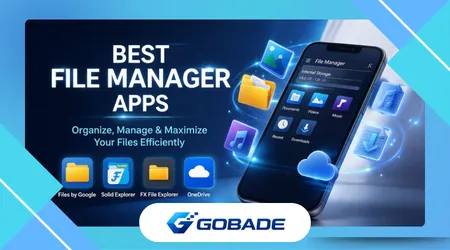
Managing files on modern smartphones has become increasingly complex, especially as users accumulate photos, videos, documents, and app data across multiple folders and storage locations. File manager apps solve this problem by providing structured control, helping users organize, locate, and manage digital content efficiently.
Many users struggle with cluttered storage, duplicate files, and hidden system folders that make navigation confusing and time-consuming. This issue affects both casual users and professionals, as inefficient file management can lead to lost documents, reduced performance, and unnecessary storage consumption.
Without a proper system, important files often become buried under layers of downloads, screenshots, and app-generated data. This lack of visibility creates frustration, particularly when users need quick access to specific files for work, sharing, or backup purposes.
File manager apps address these challenges by offering centralized access, intuitive navigation, and advanced tools like file sorting, search filters, and storage analysis. These solutions simplify digital organization and improve overall device efficiency, making daily tasks significantly easier to manage.
This article explores the best file manager apps available today, analyzing how they work, who benefits most from using them, and which features truly make a difference. It also highlights practical strategies to help users maximize performance and avoid common file management mistakes.
Why File Manager Apps Are Essential for Modern Devices
File manager apps act as the backbone of digital organization, giving users direct access to files that are otherwise hidden within system directories. This level of control is essential for anyone who regularly downloads documents, handles media files, or transfers data between devices.
On most smartphones, default file systems are limited and often prioritize simplicity over functionality. While this works for basic tasks, it becomes insufficient when users need to manage large volumes of data or perform more advanced operations like batch renaming or file compression.
For professionals and power users, file manager apps provide critical features such as cloud integration, network file sharing, and detailed storage insights. These capabilities streamline workflows and reduce the time spent searching for files across different platforms and apps.
Another key benefit is improved storage optimization, as many file managers include tools to identify duplicate files, large media items, and unused data. This helps users free up space quickly without manually inspecting each folder.
Security is also an important factor, as some file manager apps offer encryption, secure folders, and password protection. These features are particularly useful for users who store sensitive documents or personal media on their devices.
Despite their advantages, users often overlook file manager apps due to unfamiliarity or reliance on default systems. This leads to inefficiencies that could easily be avoided with the right tools and a structured approach to file organization.
Top File Manager Apps Worth Using Today
Several file manager apps stand out due to their performance, reliability, and feature sets, each catering to different types of users and use cases. Choosing the right app depends on individual needs, such as simplicity, advanced control, or integration with cloud services.
ES File Explorer was once one of the most popular options due to its extensive features and user-friendly interface. However, its reputation declined due to privacy concerns, making alternatives more appealing for users who prioritize security and transparency.
Solid Explorer is a premium file manager known for its dual-pane interface and clean design. It is ideal for users who frequently move files between directories, as it allows efficient drag-and-drop operations and supports cloud services like Google Drive and Dropbox.
Files by Google is designed for simplicity and accessibility, offering automatic file suggestions and cleanup tools. It works particularly well for users who want a lightweight solution focused on freeing storage space and organizing files with minimal effort.
Another strong option is FX File Explorer, which emphasizes privacy and offline functionality. Unlike many competitors, it does not require unnecessary permissions, making it a reliable choice for users concerned about data security.
For iOS users, the built-in Files app has improved significantly, offering seamless integration with cloud storage and third-party apps. While not as advanced as some Android alternatives, it provides a solid foundation for everyday file management tasks.
To better understand how these apps compare, the table below highlights their key features, use cases, and platform compatibility.
| Tool / App | Main Feature | Best Use Case | Platform Compatibility | Free or Paid |
|---|---|---|---|---|
| Solid Explorer | Dual-pane interface | Advanced file organization | Android | Paid |
| Files by Google | Smart cleanup suggestions | Storage optimization | Android | Free |
| FX File Explorer | Privacy-focused access | Offline file management | Android | Free/Paid |
| Apple Files | Cloud integration | Everyday file access | iOS | Free |
This comparison shows that each app serves a specific audience, from beginners seeking simplicity to advanced users needing powerful tools. Selecting the right option depends on how frequently users interact with files and how much control they require.
See Also:
Best Android Cleaner Apps (2026)
Best Apps to Recover Deleted Photos
Key Features That Make File Manager Apps Effective
The effectiveness of file manager apps depends largely on their feature set, especially when handling large amounts of data across multiple folders. One of the most important features is advanced search functionality, which allows users to quickly locate files based on type, size, or modification date.
Another critical feature is storage analysis, which visually breaks down how space is being used on a device. According to research insights shared by Google through its Android ecosystem, understanding storage patterns helps users make better decisions about file management and device performance.
Cloud integration has become increasingly important, as many users rely on services like Google Drive or Dropbox to store files. File manager apps that support direct access to these platforms eliminate the need to switch between multiple applications.
Batch operations also play a significant role in efficiency, allowing users to move, delete, or rename multiple files simultaneously. This is particularly useful for organizing large collections of photos, videos, or downloaded documents.
Another valuable feature is file compression and extraction, enabling users to handle ZIP or RAR files directly within the app. This simplifies workflows for those who frequently download compressed files or share data in bundled formats.
Permission management and security features further enhance usability by protecting sensitive data. Some apps offer encrypted folders or biometric access, ensuring that private files remain secure even if the device is shared.
Despite these capabilities, users often fail to utilize these features fully, relying instead on basic navigation. Understanding and leveraging advanced tools can significantly improve efficiency and reduce time spent managing files.
How File Manager Apps Improve Storage and Performance
File manager apps play a crucial role in maintaining device performance by identifying unnecessary files and optimizing storage usage. Over time, devices accumulate temporary files, cached data, and duplicate content that can slow down performance and reduce available space.
By using built-in cleanup tools, users can quickly remove redundant files without manually searching through folders. These automated processes save time and ensure that storage is used more efficiently, especially on devices with limited capacity.
Many file manager apps also provide insights into large files that consume significant storage space. This allows users to make informed decisions about which files to keep, delete, or transfer to external storage or cloud services.
Performance improvements are not limited to storage alone, as organized file systems also enhance app responsiveness and system stability. According to technical documentation from Microsoft, structured file management reduces fragmentation and improves data retrieval speed across devices.
Another advantage is the ability to transfer files efficiently between devices using Wi-Fi or local networks. This eliminates the need for cables or external drives, making file sharing faster and more convenient.
However, users should be cautious when deleting files, as removing essential system data can cause issues. Understanding which files are safe to delete is critical for maintaining device stability and avoiding unintended consequences.
Proper use of file manager apps not only frees up space but also ensures smoother performance and longer device lifespan. These benefits make them essential tools for anyone looking to maintain optimal device functionality.
Common Mistakes Users Make When Managing Files
One of the most common mistakes users make is relying solely on default file systems without exploring additional tools. This often results in inefficient organization and missed opportunities to optimize storage and streamline workflows.
Another frequent issue is failing to categorize files properly, leading to cluttered folders and difficulty locating important documents. Without a consistent naming convention or folder structure, even simple tasks can become time-consuming and frustrating.
Users also tend to ignore duplicate files, which can quickly consume large amounts of storage space. File manager apps often include tools to detect duplicates, but many users overlook this feature and continue to store unnecessary copies.
Another mistake involves deleting files without verifying their importance, which can result in data loss or app malfunctions. Following guidelines from National Institute of Standards and Technology on data management can help users adopt safer practices and avoid critical errors.
Overusing cloud storage without proper organization is another common problem, as files can become scattered across multiple platforms. Without synchronization and proper labeling, retrieving files becomes increasingly difficult over time.
Ignoring app permissions and security settings can also expose sensitive data to risks. Users should always review permissions and ensure that file manager apps have only the access necessary to function properly.
By avoiding these mistakes and adopting better habits, users can significantly improve their file management efficiency and reduce unnecessary complications in their digital workflows.
Tips to Choose the Right File Manager App for Your Needs
Choosing the right file manager app requires understanding your specific needs and how you interact with your device daily. For casual users, simplicity and ease of use are often more important than advanced features, making lightweight apps a better choice.
Power users, on the other hand, benefit from advanced tools like dual-pane navigation, network access, and cloud integration. These features enable more efficient workflows and greater control over file organization and data transfer.
Compatibility is another critical factor, as not all apps are available on both Android and iOS platforms. Users should ensure that their chosen app supports their device and integrates well with existing tools and services.
Privacy considerations should also play a role in decision-making, especially for users handling sensitive data. Apps that minimize permissions and offer encryption provide an added layer of security and peace of mind.
Cost is another important aspect, as some apps offer premium features behind a paywall. Users should evaluate whether these features provide enough value to justify the expense or if a free alternative meets their needs.
Testing multiple apps before committing to one can help users identify which interface and features work best for them. This trial-and-error approach ensures a better fit and improves long-term satisfaction.
Ultimately, the best file manager app is one that aligns with your workflow, enhances productivity, and simplifies file organization without adding unnecessary complexity.
Conclusion
File manager apps have become essential tools for navigating the growing complexity of digital storage on modern devices. They provide the structure and control needed to manage files efficiently, reducing clutter and improving accessibility across different types of content.
By offering features like advanced search, storage analysis, and cloud integration, these apps transform how users interact with their data. This leads to faster workflows and a more organized digital environment, especially for users handling large volumes of files daily.
Choosing the right app depends on individual needs, whether that involves simplicity for everyday use or advanced capabilities for professional tasks. Understanding these differences helps users select tools that align with their habits and expectations.
Avoiding common mistakes, such as poor organization or unnecessary file duplication, further enhances the benefits of using file manager apps. These small adjustments can lead to significant improvements in both storage efficiency and device performance.
Practical use of these tools also contributes to better device longevity, as optimized storage reduces strain on system resources. This ensures smoother performance over time and minimizes the risk of slowdowns or crashes.
Applying the tips and strategies discussed in this article allows users to take full advantage of file manager apps. This results in a more streamlined and stress-free digital experience, where files are easy to access and manage.
Ultimately, file manager apps empower users to regain control over their digital environments. With the right approach, they become indispensable tools for maintaining organization, improving productivity, and enhancing overall device performance.
FAQ
1. What are file manager apps used for?
File manager apps help users organize, access, and manage files stored on their devices, including documents, photos, and system data.
2. Are file manager apps safe to use?
Yes, as long as they are downloaded from trusted sources and have appropriate permissions, they are generally safe and reliable.
3. Do I need a file manager app if my phone already has one?
Default apps are often limited, so third-party options can provide advanced features and better control over files.
4. Can file manager apps free up storage space?
Many apps include cleanup tools that identify large files, duplicates, and unnecessary data, helping users reclaim storage space.
5. Are file manager apps free?
Some are completely free, while others offer premium features through paid versions or subscriptions.
6. Do file manager apps work with cloud storage?
Yes, many apps integrate with services like Google Drive and Dropbox for seamless file access and management.
7. Can I transfer files between devices using these apps?
Many file managers support wireless transfer through Wi-Fi or local networks, making file sharing quick and easy.
8. What is the best file manager app?
The best option depends on user needs, with some apps focusing on simplicity and others offering advanced features for power users.