Streaming has become the default way people consume entertainment, yet many users still struggle to find reliable and truly free streaming options that work seamlessly on their Smart TVs. Free Streaming Apps often promise unlimited access, but users frequently encounter hidden paywalls, limited catalogs, or confusing interfaces that reduce the overall experience.
This issue affects a wide range of users, especially those trying to cut subscription costs without sacrificing quality entertainment. With multiple platforms competing for attention, it becomes difficult to identify which apps genuinely deliver free content and which ones rely heavily on upselling or intrusive advertising.
Another common frustration is compatibility, as not all apps perform consistently across different Smart TV systems like Android TV, Tizen, or webOS. Users may download an app expecting smooth playback, only to face buffering issues, limited regional access, or missing features that work better on mobile devices.
Additionally, content discovery can be overwhelming when free platforms lack proper organization or recommendation systems. Many users spend more time searching for something to watch than actually enjoying content, especially when libraries are cluttered or poorly categorized.
This article analyzes the most effective free streaming apps available for Smart TVs, focusing on practical usability, content quality, and real-world performance. It explores how these tools work, when they are most useful, and what limitations users should expect before relying on them as primary entertainment sources.
What Defines a High-Quality Free Streaming App
Free streaming apps vary widely in quality, and not all of them deliver a reliable viewing experience on Smart TVs. The best platforms balance accessibility, content variety, and performance, ensuring users can watch without constant interruptions or technical frustrations.
A key factor is the content licensing model, as most free apps rely on ad-supported streaming rather than subscriptions. This means users can access movies, series, and live channels without paying, but they must accept periodic advertisements that fund the service.
Interface design also plays a critical role in usability, especially on Smart TVs where navigation depends on remote controls. Apps that prioritize clean layouts, intuitive menus, and fast loading times significantly improve the viewing experience compared to cluttered or slow interfaces.
Compatibility is another essential consideration, as high-quality apps support multiple operating systems like Android TV, Samsung Tizen, and LG webOS. Users benefit from consistent performance across devices, avoiding the need to switch platforms or rely on external streaming devices.
Streaming quality is equally important, with top apps offering HD or even 4K content depending on the device and internet connection. However, free platforms often adjust quality dynamically, which can lead to inconsistent resolution during peak usage times.
Content diversity distinguishes strong apps from mediocre ones, as users expect a mix of movies, TV shows, documentaries, and live channels. Platforms that regularly update their libraries maintain higher engagement and reduce the likelihood of users abandoning the service.
Finally, transparency matters, as trustworthy apps clearly communicate what is free and what requires payment. Users should avoid platforms that disguise premium content behind misleading labels or require unnecessary sign-ups for basic access.
Top Free Streaming Apps Available for Smart TVs
Several free streaming apps have established themselves as reliable options for Smart TV users, offering legitimate content without requiring subscriptions. These platforms differ in focus, with some emphasizing live TV while others specialize in on-demand movies and series.
Pluto TV is one of the most popular choices, providing hundreds of live channels alongside a growing on-demand library. It works well for users who prefer a traditional TV-like experience with scheduled programming rather than browsing individual titles.
Tubi stands out for its extensive catalog of movies and TV shows, making it ideal for users who want on-demand access without paying monthly fees. Its interface is straightforward, and content is organized into genres that simplify discovery.
Crackle offers a curated selection of films and original programming, appealing to users who prefer quality over quantity. While its library is smaller than competitors, it often includes recognizable titles and exclusive content.
Plex provides a hybrid experience, combining free streaming content with personal media organization. Users who already have their own media libraries can integrate them seamlessly while still accessing free movies and live channels.
The growth of ad-supported streaming has been documented by major technology organizations, including insights shared by Google, highlighting how free streaming ecosystems are expanding rapidly due to changing user behavior and subscription fatigue.
Each of these apps performs best in specific scenarios, depending on whether the user prioritizes live content, curated libraries, or flexibility. Understanding these differences helps users choose the right platform instead of installing multiple apps unnecessarily.
Comparison of Popular Free Streaming Apps
Choosing the right app becomes easier when comparing key features side by side, especially for users who want to optimize their Smart TV experience without testing multiple platforms individually.
| App | Main Feature | Best Use Case | Platform Compatibility | Free or Paid |
|---|---|---|---|---|
| Pluto TV | Live TV Channels | Cable-like experience | Android TV, Tizen, webOS | Free |
| Tubi | Large On-Demand Library | Movie and series browsing | Android TV, Fire TV, Roku | Free |
| Crackle | Curated Content | Short sessions, quality titles | Android TV, Smart TVs | Free |
| Plex | Media + Streaming Hybrid | Personal + online content | Multiple platforms | Free + Paid |
Pluto TV is particularly effective for users who miss traditional television formats, as it replicates channel surfing with minimal setup. However, its structured programming can feel restrictive for viewers who prefer choosing specific content on demand.
Tubi offers flexibility and variety, making it a strong option for families or users with diverse interests. The trade-off is the presence of ads, which can interrupt longer movies but are generally predictable and manageable.
Crackle works best for casual viewers who want quick access to recognizable titles without browsing extensive catalogs. Its smaller library reduces decision fatigue, though it may not satisfy users seeking niche or recently released content.
Plex stands out for advanced users who want control over their media environment, combining streaming with personal file management. However, beginners may find its setup slightly more complex compared to plug-and-play alternatives.
Research from institutions like MIT Technology Review emphasizes the growing importance of hybrid platforms, showing how users increasingly prefer solutions that combine personalization with accessible streaming content.
Understanding these trade-offs allows users to align their expectations with the strengths of each app, avoiding frustration and improving long-term satisfaction with free streaming solutions.
See Also:
Why Streaming Apps Perform Differently on Smart TVs Compared to Mobile Devices
How to Organize Your Streaming Services to Avoid Content Overload
Why Streaming Apps Sometimes Remove Movies Without Warning
How Free Streaming Apps Actually Work
Free streaming apps operate on an ad-supported revenue model, which allows users to access content without subscriptions. Advertisers pay platforms to display ads, and in return, users receive free access to movies, shows, and live programming.
This model differs significantly from subscription-based services, as content availability often depends on licensing agreements that rotate regularly. Users may notice that certain titles disappear or are replaced, which is a normal part of free streaming ecosystems.
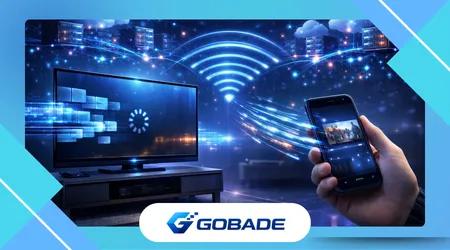
Content delivery relies on cloud-based infrastructure, ensuring that streams are distributed efficiently across different devices. This allows Smart TVs to handle high-definition playback without requiring additional hardware in most cases.
Many apps also use recommendation algorithms to personalize content suggestions based on viewing behavior. While not as advanced as premium platforms, these systems still improve content discovery over time.
Organizations like the Federal Communications Commission provide guidelines on digital broadcasting and streaming standards, helping ensure that services maintain compliance and deliver stable experiences across regions.
A common misconception is that free apps compromise heavily on quality, but many now offer HD streaming and stable playback. The main trade-off remains advertising frequency and occasional content limitations compared to paid services.
Users who understand how these platforms function are better equipped to manage expectations and take advantage of their strengths without becoming frustrated by inherent limitations.
Common Mistakes When Using Free Streaming Apps
One of the most frequent mistakes is expecting the same experience as premium services like Netflix or Disney+. Free platforms operate differently, and comparing them directly often leads to unrealistic expectations and dissatisfaction.
Another issue is installing too many apps without understanding their purpose, which creates clutter and confusion on Smart TV interfaces. Users benefit more from selecting two or three well-suited platforms rather than trying every available option.
Ignoring regional restrictions can also cause frustration, as some content libraries vary depending on location. Users may assume a missing title is unavailable globally when it is simply restricted in their region.
Many users overlook internet speed requirements, which directly affect streaming quality. Even the best apps cannot deliver smooth playback if the connection is unstable or insufficient for HD content.
Ad management is another overlooked factor, as some users abandon apps due to ads instead of learning how they are structured. Most platforms insert ads at predictable intervals, allowing users to adapt their viewing habits accordingly.
Failing to explore app settings is a missed opportunity, as features like subtitles, playback quality adjustments, and watchlists significantly improve usability. These tools are often underutilized despite being easy to configure.
Finally, security awareness is essential, as unofficial or pirated streaming apps can expose users to malware or data risks. Sticking to legitimate platforms ensures both safety and consistent performance.
Tips to Maximize Your Free Streaming Experience
Optimizing the Smart TV setup is the first step toward improving streaming performance, including keeping apps updated and ensuring the device firmware is current. This reduces bugs and enhances compatibility with newer streaming features.
Using a stable Wi-Fi connection or Ethernet cable significantly improves playback quality, especially for HD or 4K content. Users who experience buffering should prioritize network stability before switching apps.
Creating watchlists within apps helps streamline content discovery, allowing users to save interesting titles instead of repeatedly searching. This is particularly useful on platforms with large libraries like Tubi.
Combining multiple apps strategically provides a more complete entertainment experience without additional cost. For example, using Pluto TV for live content and Tubi for movies covers a wide range of viewing preferences.
Adjusting playback settings can also improve performance, especially on slower connections where lowering resolution prevents buffering. Many users overlook this option despite its immediate impact on viewing stability.
Scheduling viewing sessions around ad breaks helps minimize interruptions, as understanding the rhythm of ad-supported streaming allows users to anticipate when pauses will occur.
Exploring lesser-known categories often reveals hidden content gems that are not prominently featured. This approach enhances satisfaction and reduces reliance on repetitive mainstream recommendations.
Finally, maintaining realistic expectations ensures a better overall experience, as free streaming apps deliver strong value when used correctly. Users who adapt to their structure benefit from consistent, cost-free entertainment without sacrificing usability.
Conclusion
Free streaming apps have evolved into powerful alternatives for Smart TV users seeking cost-effective entertainment solutions. They provide access to a wide range of content without requiring subscriptions, making them especially valuable in a landscape dominated by rising streaming costs.
Understanding how these apps work allows users to navigate their limitations more effectively, particularly when it comes to advertising and content rotation. This awareness transforms potential frustrations into manageable trade-offs.
Platforms like Pluto TV, Tubi, Crackle, and Plex each serve different viewing preferences, demonstrating that no single app fits all use cases. Selecting the right combination enhances flexibility and ensures a more satisfying experience.
The comparison of features highlights the importance of aligning expectations with functionality, helping users avoid common pitfalls such as overloading their devices with unnecessary apps or expecting premium-level experiences.
Technical factors such as internet stability and device compatibility play a significant role in performance, often more than the app itself. Optimizing these elements leads to immediate improvements in streaming quality.
Avoiding common mistakes, such as ignoring settings or overlooking regional limitations, further refines the user experience. Small adjustments can make a noticeable difference in usability and content accessibility.
Practical strategies like using watchlists, combining platforms, and managing ad expectations allow users to maximize the value of free streaming services. These habits create a smoother and more enjoyable viewing routine.
Ultimately, free streaming apps deliver meaningful benefits when used strategically, offering a balance between accessibility and functionality. Users who apply the insights discussed can build a reliable and cost-free entertainment system tailored to their needs.
The shift toward ad-supported streaming is likely to continue expanding, reinforcing the relevance of these platforms. Staying informed ensures users remain ahead of trends and make smarter choices in their digital entertainment habits.
FAQ
1. Are free streaming apps legal to use on Smart TVs?
Yes, legitimate apps like Pluto TV and Tubi are fully legal and operate through licensed content agreements.
2. Do free streaming apps require an account?
Some apps allow access without registration, while others offer optional accounts for personalization features.
3. Why do free apps include ads?
Ads generate revenue that replaces subscription fees, allowing users to access content at no cost.
4. Can free streaming apps replace paid services?
They can complement or partially replace paid services, but content availability is usually more limited.
5. Do these apps support 4K streaming?
Some platforms offer 4K content, but availability depends on the app, device, and internet speed.
6. Are free streaming apps safe to install?
Official apps from trusted platforms are safe, but users should avoid unofficial or pirated versions.
7. Why is some content unavailable in my region?
Licensing restrictions vary by country, affecting which titles are accessible in specific locations.
8. What is the best combination of free streaming apps?
A mix of Pluto TV for live channels and Tubi for on-demand content provides a balanced experience.