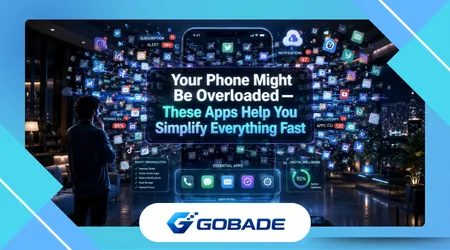
Notification management apps have become essential tools for people overwhelmed by constant alerts across smartphones, tablets, and computers. As digital communication multiplies, controlling notifications improves focus, productivity, and privacy while ensuring important messages remain visible without unnecessary interruptions.
Modern devices generate notifications from messaging platforms, social networks, banking applications, productivity tools, and entertainment services simultaneously. Without proper management, these alerts create cognitive overload that disrupts concentration, drains attention, and makes important information harder to notice.
Operating systems include basic notification settings, but they rarely provide granular control over how alerts appear, behave, or prioritize themselves. Specialized tools fill this gap by offering advanced filtering, scheduling, and categorization features designed to create more intentional digital environments.
These applications allow users to silence specific apps, group related alerts, customize sounds, and even delay notifications during focused work periods. Such flexibility helps transform notifications from distractions into structured communication channels aligned with personal priorities.
Professionals, students, and everyday smartphone users increasingly rely on notification customization to manage information overload efficiently. By organizing alerts strategically, individuals maintain awareness of critical updates without allowing their devices to dominate attention throughout the day.
This article analyzes the tools and strategies that allow users to control and customize notifications effectively. It explores core features, real-world applications, productivity benefits, and practical methods for creating a more balanced relationship with digital alerts.
Why Notification Overload Has Become a Modern Digital Problem
Smartphones generate dozens or even hundreds of notifications daily from messaging services, social media platforms, and automated app updates. This constant flow of alerts fragments attention and forces users to repeatedly shift focus between tasks.
Research in digital behavior shows that frequent interruptions reduce productivity and increase mental fatigue across both professional and personal environments. Even brief notifications trigger cognitive switching costs that make it harder for people to return to deep concentration afterward.
Many applications intentionally design notifications to increase engagement and encourage repeated interaction throughout the day. These design strategies maximize user activity but often sacrifice long-term attention stability and mental clarity.
Email alerts, promotional messages, social media mentions, and system reminders frequently compete for immediate attention on the same device. Without a structured system for prioritization, important alerts become buried among trivial updates.
Notification overload also creates emotional pressure because users feel obligated to respond immediately to incoming messages. This expectation of constant availability blurs the boundary between work time, personal life, and rest periods.
The problem intensifies when multiple communication platforms operate simultaneously across smartphones, tablets, and laptops. Each device multiplies the number of alerts, increasing the likelihood of distraction throughout the day.
Digital professionals often report checking notifications dozens of times per hour during busy workdays. Such frequent interruptions dramatically reduce efficiency when performing complex tasks requiring sustained focus.
Effective notification management tools address this challenge by filtering signals from noise and prioritizing only the most relevant alerts. These systems transform notifications into structured information flows rather than chaotic interruptions.
Understanding the scale of notification overload highlights why specialized management tools have become increasingly valuable. Controlling digital alerts allows users to reclaim attention and restore balance in technology-driven environments.
++Apps That Help You Scan and Digitize Documents Using Your Phone
Core Features That Notification Management Apps Provide
Advanced notification tools offer customizable filtering systems that allow users to prioritize alerts based on application type, sender, or urgency level. This structure prevents nonessential notifications from interrupting important tasks.
Many apps also support scheduling functions that silence notifications during meetings, sleep hours, or focused work sessions. These features ensure that devices remain useful without becoming disruptive throughout the day.
Some notification managers include grouping systems that combine similar alerts into single summaries rather than displaying dozens of individual messages. This approach reduces visual clutter while preserving access to important information.
Developers increasingly integrate intelligent prioritization algorithms that analyze usage patterns and identify which notifications matter most. According to research published by the MIT Technology Review, machine learning systems can dramatically improve digital attention management.
Customization features also allow users to assign unique sounds, vibration patterns, or visual indicators to specific applications. These distinctions help people recognize the importance of an alert instantly without checking their phone.
| Feature | Purpose | Benefit |
|---|---|---|
| Notification Filtering | Block or allow specific alerts | Reduces distractions |
| Scheduling Modes | Silence alerts during defined periods | Improves focus |
| Notification Grouping | Combine similar alerts | Minimizes clutter |
| Priority Systems | Highlight important notifications | Ensures critical messages appear |
| Custom Sounds | Different alert tones per app | Faster recognition |
Some tools include automation rules that trigger actions based on notification types. For example, work emails might appear immediately while social media alerts remain silent until the evening.
These capabilities allow users to design a personalized notification environment that reflects daily priorities. Instead of reacting to every alert, individuals choose when and how information reaches them.
Such flexibility represents a significant evolution in how smartphones handle digital communication. Notification management apps transform devices into adaptive assistants that respect user attention.
Popular Apps Designed to Customize Notifications

Several mobile applications specialize in controlling notification behavior across Android and iOS ecosystems. These tools extend operating system features and introduce powerful automation options.
Apps like BuzzKill, Daywise, and NotiSaver allow users to delay or batch notifications so alerts arrive at scheduled intervals instead of continuously. This approach dramatically reduces interruptions during focused work periods.
Some solutions emphasize privacy and security while managing alerts. The Electronic Frontier Foundation highlights that limiting notification exposure can reduce the risk of sensitive information appearing on lock screens.
Productivity-focused tools also allow users to create contextual rules tied to location or activity. For instance, notifications from work applications might automatically activate when arriving at the office.
Many of these applications support keyword filtering that blocks promotional or repetitive alerts automatically. This feature proves particularly useful for controlling marketing messages generated by shopping or gaming platforms.
Advanced notification dashboards provide detailed analytics showing how frequently alerts arrive from different apps. Understanding these patterns helps users identify which services generate the most digital noise.
Some tools also integrate with digital wellbeing features built into modern operating systems. By combining app usage data with notification controls, users can build healthier technology habits.
These platforms demonstrate that notification management extends beyond simple silencing features. Properly configured systems can transform how individuals interact with digital information throughout the day.
As smartphone ecosystems continue evolving, developers increasingly treat attention management as a central design priority. Notification customization tools represent an important step toward more balanced digital lifestyles.
How Notification Customization Improves Productivity
Effective notification management directly improves productivity by reducing constant task switching. When interruptions decrease, individuals maintain deeper concentration on complex activities requiring sustained mental effort.
Studies in workplace efficiency consistently show that uninterrupted focus dramatically improves performance in analytical or creative tasks. According to research from the Harvard Business Review, minimizing digital interruptions increases productivity and reduces mental fatigue.
Custom notification settings allow professionals to receive urgent communication while delaying less critical messages. This selective approach ensures responsiveness without sacrificing the ability to complete demanding projects.
Teams working in fast-paced environments benefit particularly from structured notification systems. Employees can monitor essential collaboration tools while suppressing unrelated alerts during important meetings or presentations.
Students and researchers also rely on notification control to maintain concentration during study sessions. By limiting digital interruptions, learners improve retention and complete assignments more efficiently.
Another benefit involves reducing emotional stress associated with constant digital engagement. When notifications arrive in predictable intervals, users feel less pressure to respond instantly to every incoming message.
Many professionals adopt “notification batching” strategies that deliver alerts only a few times per hour. This technique creates defined moments for communication while protecting large blocks of uninterrupted work time.
Creative professionals such as writers, designers, and programmers often depend on deep focus to produce high-quality work. Notification management tools provide the environmental stability necessary for sustained creativity.
Ultimately, controlling digital alerts restores intentionality to communication. Instead of reacting impulsively to every notification, individuals interact with information at moments that align with their priorities.
Best Practices for Setting Up Notification Control
Effective notification management begins with evaluating which applications truly require immediate alerts. Messaging platforms, security tools, and critical work applications often deserve priority access to attention.
Less important services such as games, promotional platforms, or casual social media rarely require real-time notifications. Disabling or delaying these alerts reduces unnecessary interruptions throughout the day.
Users should also configure quiet hours that silence nonessential notifications during sleep periods. Maintaining uninterrupted rest improves health and prevents late-night digital distractions from disrupting sleep cycles.
Many productivity experts recommend creating separate notification profiles for workdays and weekends. This approach allows individuals to remain responsive professionally while protecting personal time from work alerts.
Another useful strategy involves customizing alert tones for important contacts or applications. Recognizable sounds allow users to distinguish urgent notifications instantly without checking every alert.
Notification grouping features should also remain enabled whenever possible. Consolidating multiple alerts into single summaries dramatically reduces lock-screen clutter and improves readability.
Regularly reviewing notification settings helps ensure that new applications do not introduce unnecessary distractions. Many apps automatically activate alerts during installation, gradually increasing notification volume over time.
Digital minimalism principles encourage users to treat attention as a limited resource requiring deliberate protection. Structured notification control supports this philosophy by prioritizing meaningful communication.
Applying these practices consistently transforms smartphones from sources of distraction into tools that support focus, productivity, and well-being.
++Apps That Analyze Storage Usage and Show What’s Really Taking Space
The Future of Intelligent Notification Management
The next generation of notification tools will rely heavily on artificial intelligence to determine when alerts should appear. Context-aware systems will analyze user behavior, location, and activity to decide the optimal moment for delivering information.
Smartphones already collect behavioral signals such as movement patterns, calendar events, and device usage history. Future notification managers will combine these data points to reduce unnecessary interruptions automatically.
Developers are also exploring predictive notification systems that anticipate user needs before alerts even appear. For example, travel apps might suppress notifications until approaching a scheduled departure time.
Wearable technology will likely integrate with notification management ecosystems as well. Smartwatches and augmented reality devices may distribute alerts across multiple interfaces depending on urgency.
Privacy concerns remain central to these innovations because intelligent systems rely on behavioral analysis. Designers must ensure that notification algorithms respect personal data boundaries while delivering meaningful benefits.
Another emerging trend involves adaptive notification summaries that present alerts in digest formats throughout the day. Instead of receiving dozens of individual notifications, users review structured updates periodically.
Technology companies increasingly recognize that attention management represents a key component of digital wellbeing. Future operating systems will likely integrate advanced notification controls directly into their core interfaces.
As these tools evolve, individuals will gain greater autonomy over how technology interacts with their attention. Intelligent notification systems promise a more balanced relationship between connectivity and concentration.
The long-term goal is not eliminating notifications entirely but delivering information at moments when it provides genuine value. This evolution marks an important shift toward human-centered technology design.
++Utility Apps That Help You Transfer Data Between Phones Safely
Conclusion
Digital devices have transformed communication by enabling constant connectivity across messaging platforms, productivity tools, and social networks. However, this connectivity produces overwhelming notification volumes that fragment attention and disrupt daily routines.
Notification management apps address this challenge by allowing users to filter, schedule, and customize alerts according to personal priorities. These tools transform smartphones from distraction machines into structured communication systems.
By controlling which notifications appear immediately and which arrive later, individuals reclaim ownership of their attention. Such control enables deeper concentration, improved productivity, and reduced digital stress.
Customization features like grouping alerts, assigning priority levels, and defining quiet hours create a more organized digital environment. Instead of responding to every alert instantly, users engage with information intentionally.
Professionals benefit from these tools by maintaining focus during critical tasks while still receiving urgent updates from colleagues or clients. Structured notification management supports both responsiveness and efficiency.
Students and everyday smartphone users also experience improved digital wellbeing when interruptions decrease. Fewer distractions lead to better concentration, clearer thinking, and healthier technology habits.
As smartphones continue evolving, notification management will become increasingly sophisticated through artificial intelligence and predictive systems. Future tools will deliver alerts only when they are most relevant.
This shift reflects a broader movement toward human-centered technology design that respects cognitive limits and protects user attention. Controlling notifications represents one of the most practical steps toward achieving that balance.
Ultimately, notification management apps empower individuals to shape their digital environment intentionally. Rather than surrendering attention to constant alerts, users build communication systems aligned with their goals.
In a world saturated with digital signals, the ability to customize notifications effectively becomes an essential skill for maintaining focus, productivity, and peace of mind.
FAQ
1. What are notification management apps?
Notification management apps are tools that allow users to filter, schedule, and customize alerts from different applications so important messages appear while unnecessary interruptions remain minimized.
2. Why do smartphones generate so many notifications?
Modern applications send alerts to increase engagement, provide updates, and encourage interaction, which results in a large number of notifications across messaging, social media, and productivity platforms.
3. Can notification management apps improve productivity?
Yes, by reducing interruptions and allowing users to focus on tasks without constant alerts, these tools significantly improve concentration and overall productivity.
4. Are notification customization tools safe to use?
Most reputable apps operate within the smartphone’s notification system and do not access sensitive data beyond managing alerts.
5. Do iPhones and Android phones both support notification management tools?
Both ecosystems support notification customization features, although Android traditionally offers more flexibility through third-party applications.
6. What is notification batching?
Notification batching groups alerts together and delivers them at scheduled intervals rather than continuously throughout the day.
7. Can notification tools help reduce digital stress?
Yes, controlling how and when notifications appear helps reduce pressure to respond immediately and lowers overall digital fatigue.
8. Do operating systems already include notification controls?
Most modern systems include basic controls, but dedicated notification management apps provide more advanced filtering, scheduling, and automation features.