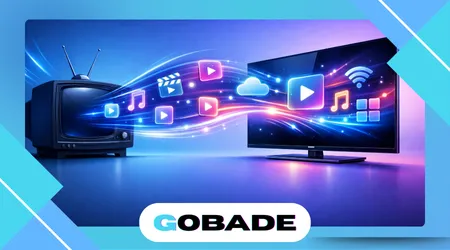
Many households want to turn TV into smart TV without replacing perfectly functional screens. This article explains how existing televisions can gain modern streaming, apps, and connectivity through accessible, proven methods.
Smart functionality no longer depends on buying a new television. External devices and network solutions now deliver comparable experiences at lower cost.
This analysis focuses on practical, legal, and widely available options. It avoids speculative technology and prioritizes real consumer use cases.
Turning a TV smart changes how content is accessed and controlled. It affects interfaces, subscriptions, and long-term usability.
The article evaluates hardware, software, and configuration choices. Each option carries distinct advantages and constraints.
By examining compatibility, cost, and performance, this guide supports informed decisions. The goal is maximizing value from existing equipment.
Understanding What Makes a TV Smart
A smart TV connects directly to the internet and runs applications. These features enable streaming, browsing, and software updates without external hardware.
Smart functionality depends on operating systems. Platforms manage apps, interfaces, and device compatibility.
Traditional TVs lack onboard processing for modern apps. External solutions compensate for these hardware limitations.
Connectivity represents the foundational requirement. Ethernet or Wi-Fi access enables all smart features.
User interaction changes significantly with smart systems. Voice control, recommendations, and app ecosystems become central.
Smart platforms integrate content discovery tools. These features aggregate services into unified interfaces.
Security updates distinguish smart environments. Unsupported systems eventually lose access to apps.
Performance depends on processor capability. Slower systems affect navigation and playback.
Understanding these components clarifies why add-on devices succeed. They replicate core smart TV functions externally.
++Best Free Streaming Apps You Can Use Today
Streaming Devices as the Most Practical Solution
Streaming devices represent the most common method to add smart features. They connect via HDMI and operate independently from the TV.
Popular devices include streaming sticks and boxes. These options vary by performance and price.
Installation remains straightforward. Users connect the device and sign into accounts.
Operating systems differ between manufacturers. App availability depends on platform partnerships.
Updates occur regularly through internet connections. This keeps apps functional over time.
Streaming devices often outperform built-in smart systems. Dedicated hardware improves responsiveness.
Remote controls simplify navigation. Some include voice search capabilities.
Industry adoption accelerated as documented by organizations like the Consumer Technology Association, which tracks streaming device penetration.
This approach suits most households. It balances cost, flexibility, and longevity effectively.
Using Game Consoles for Smart TV Features
Modern game consoles function as full entertainment hubs. They support streaming apps alongside gaming capabilities.
Consoles connect through HDMI like streaming devices. Setup integrates with existing accounts.
Major platforms host popular streaming services. Video quality often reaches high resolutions.
Performance remains strong due to powerful processors. Navigation feels responsive and stable.
Energy consumption exceeds dedicated streamers. Consoles draw more power during operation.
Controllers replace traditional remotes. Some users find this less intuitive.
Software updates arrive frequently. This ensures continued app compatibility.
Consoles serve multi-purpose households. Gaming and streaming coexist on one device.
While effective, consoles may exceed basic needs. Cost and power usage require consideration.
++Top Streaming Services Compared: Which Is Best?
Casting and Screen Mirroring Options
Casting enables content playback from mobile devices. TVs display streams controlled by smartphones or tablets.
Chromecast-style solutions embed casting directly. Apps send video streams over local networks.
Screen mirroring duplicates device displays. This method supports presentations and local media.
Latency can affect real-time content. Network quality influences performance.
Compatibility varies by device ecosystem. Android and iOS differ in implementation.
Casting relies heavily on mobile hardware. Battery drain becomes a factor.
User experience depends on app support. Not all services enable casting.
According to guidance from the Android Developers, casting standards continue evolving.
Casting works best as a supplemental option. It lacks the independence of dedicated devices.
Smart Blu-ray Players and Set-Top Boxes
Some Blu-ray players include smart functionality. They provide streaming apps alongside disc playback.
Set-top boxes from internet providers offer similar features. These devices often bundle live TV.
App selection remains limited on older models. Updates may stop after several years.
Performance depends on manufacturer support. Entry-level units feel sluggish.
The table below compares common smart TV add-on options.
| Device Type | Cost Range | Longevity | Performance |
|---|---|---|---|
| Streaming Stick | Low | High | Good |
| Game Console | High | High | Excellent |
| Blu-ray Player | Medium | Medium | Moderate |
| Set-top Box | Medium | Provider-based | Variable |
Disc-based devices suit physical media collectors. Streaming-focused users prefer newer alternatives.
Availability varies by region. Not all models support current apps.
These options still serve niche needs. They remain viable with clear expectations.
Internet Connectivity and Network Setup
Reliable internet underpins smart TV functionality. Streaming quality depends on bandwidth stability.
Wi-Fi strength affects performance. Distance from routers matters significantly.
Ethernet connections improve reliability. Wired setups reduce interference.
Routers should support modern standards. Outdated hardware bottlenecks streaming.
Network congestion impacts households with multiple devices. Bandwidth sharing reduces quality.
Service providers publish recommended speeds. Guidelines from the Federal Communications Commission outline minimum requirements.
Data caps may influence usage decisions. High-definition streaming consumes substantial bandwidth.
Security settings protect connected devices. Password management prevents unauthorized access.
Optimized networks enhance all smart features. Setup quality determines long-term satisfaction.
++How to Watch Live TV Without Cable
Conclusion
Turning any TV into a smart TV remains achievable and cost-effective. External devices extend lifespan and functionality.
Streaming devices offer the simplest solution. They balance ease and performance.
Consoles add versatility for gaming households. Their power supports advanced streaming.
Casting supplements traditional setups. It works best for occasional use.
Blu-ray players fill specific roles. They combine physical and digital media.
Network quality shapes outcomes. Connectivity defines reliability.
Security and updates matter over time. Supported platforms age better.
Smart upgrades reduce electronic waste. Existing TVs gain new relevance.
Choice depends on habits and budgets. No single option fits everyone.
Informed selection maximizes value. Smart features remain accessible without replacement.
FAQ
1. What does it mean to turn a TV into a smart TV?
It means adding internet connectivity and app-based features through external devices, enabling streaming, browsing, and modern media access.
2. Do I need to replace my TV to make it smart?
No, external devices like streaming sticks or consoles provide smart features without replacing the television.
3. Is an HDMI port required?
Yes, most smart TV add-on devices connect through HDMI ports for video and audio output.
4. Which option is the cheapest way to add smart features?
Streaming sticks typically offer the lowest-cost entry while providing broad app support.
5. Will an older TV work with modern streaming devices?
Most older TVs work as long as they include a functioning HDMI input.
6. Does turning a TV smart require fast internet?
Moderate broadband speeds usually suffice, though higher speeds improve quality and reliability.
7. Are smart TV add-ons safe to use?
Licensed devices from reputable brands receive security updates and operate safely when configured correctly.
8. Can I remove smart features later?
Yes, smart functionality depends on external devices, which can be disconnected at any time.